Post
Using jq to convert a backlog hosted in Trello
Disclaimer: Trello is awesome and it can export its data to CSV if you sign-up for one of the business plans. Here is how you can do it with jq.
Disclaimer #1: Trello is awesome and it can export its data to CSV if you sign-up for one of the business plans. Because I was using it as an alternative solution for a couple of weeks, I did not feel the need to subscribe the service. If you have a large backlog, that's the way to go.
Disclaimer #2: I understand each team may use a different board/checklist format for their history, therefore please interpret this article as generic instructions about how to export the data.
Pre-steps: In order to perform these steps, you will need to export Trello data to CSV. You can follow these steps to export the data.
Consider, for the purpose of this post, that your product and sprint backlog look like this (click for a larger version):
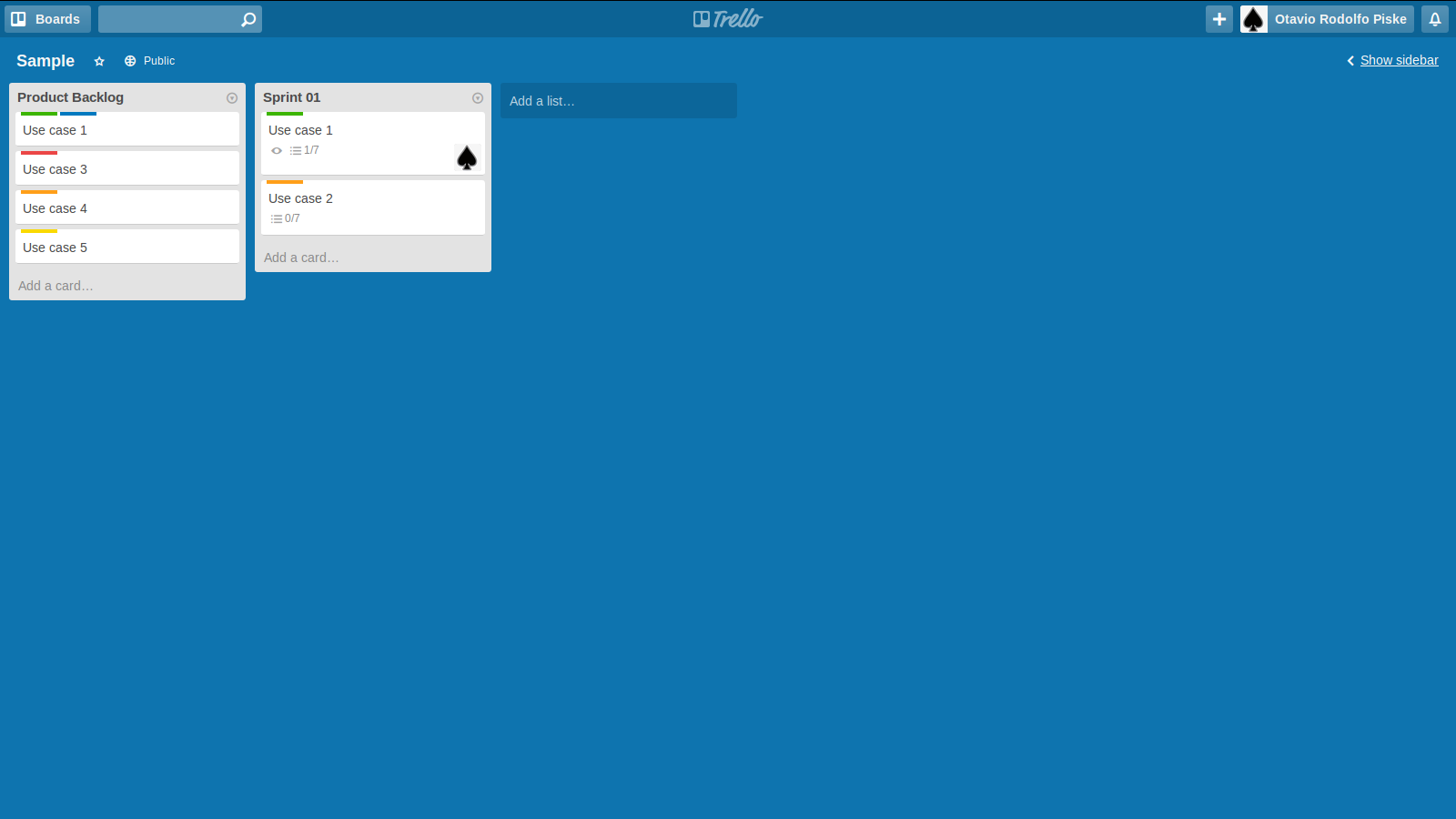
The colors (labels) represent either the effort, in points, for each history or whether it is in progress or delivery.
Each use case is composed of a checklist that represents the user histories. Pretty much like this:
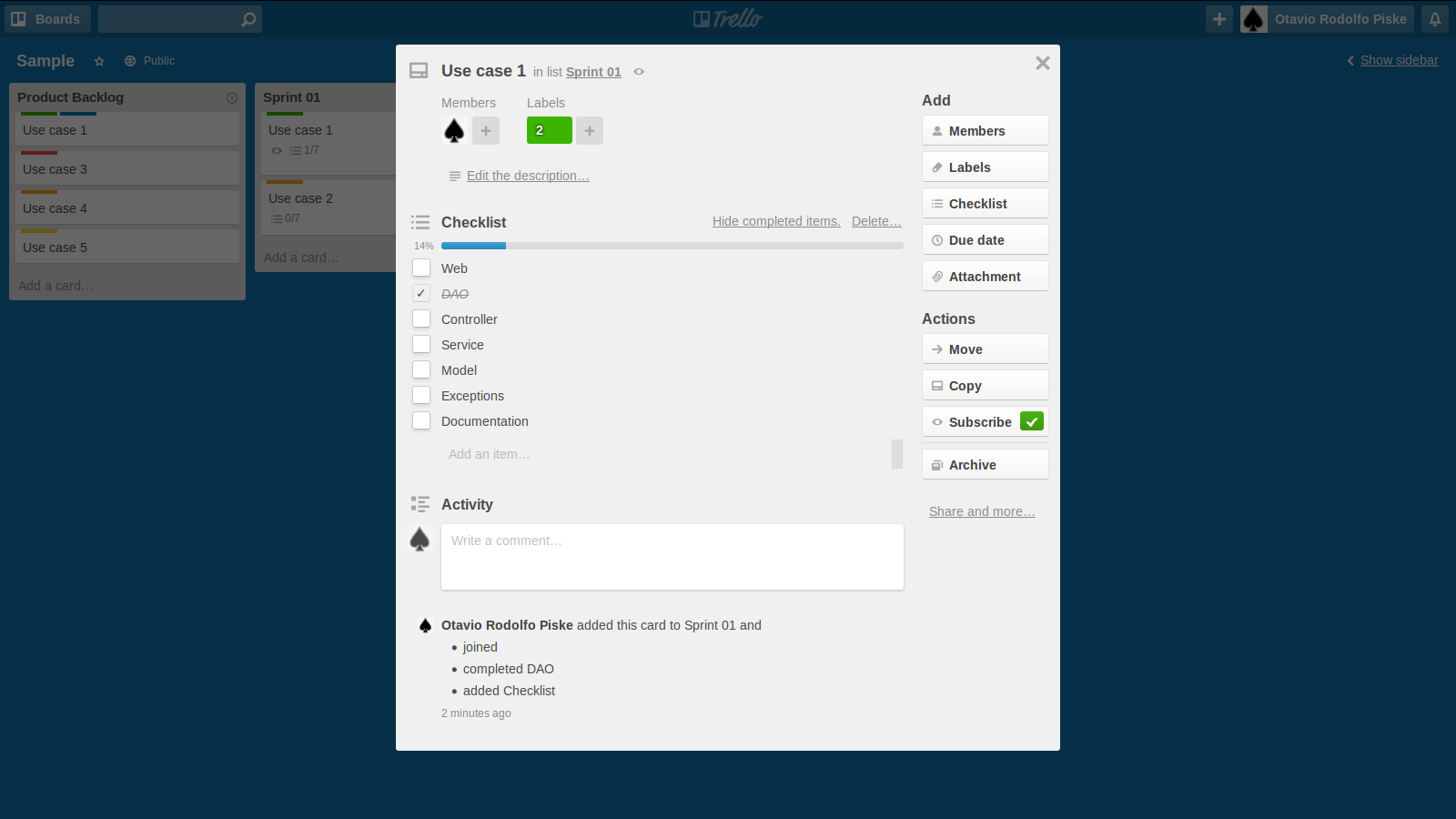
To export the product backlog as well as the sprint backlog, you can use:
cat sample.json| jq -c '.actions[] | select(.type=="createCard") | [.data.card.name, .data.list.name, .date, .memberCreator.fullName ] ' > backlog.tmp
The backlog.tmp should look like this:
["Use case 1","Sprint 01","2015-01-14T12:04:22.901Z","Otavio Rodolfo Piske"]
["Use case 5","Product Backlog","2015-01-14T12:03:54.013Z","Otavio Rodolfo Piske"]
["Use case 4","Product Backlog","2015-01-14T12:03:51.521Z","Otavio Rodolfo Piske"]
["Use case 3","Product Backlog","2015-01-14T12:03:39.129Z","Otavio Rodolfo Piske"]
["Use case 2","Product Backlog","2015-01-14T12:03:34.760Z","Otavio Rodolfo Piske"]
["Use Case 1","Product Backlog","2015-01-14T12:03:33.409Z","Otavio Rodolfo Piske"]
To export the labels, which contains the effort (points) for the use cases, you can run:
cat sample.json| jq -c '.cards[] | select((.labels[] | length ) > 0) | [ .name , .labels[].name , .dateLastActivity ]' > backlog-points.tmp
The backlog-points.tmp should look like this:
["Use case 1","2","In Progress","2015-01-14T12:05:06.405Z"]
["Use case 1","2","In Progress","2015-01-14T12:05:06.405Z"]
["Use case 3","5","2015-01-14T12:05:36.068Z"]
["Use case 4","4","2015-01-14T12:05:43.963Z"]
["Use case 5","3","2015-01-14T12:05:48.597Z"]
["Use case 1","2","2015-01-14T12:07:38.449Z"]
["Use case 2","4","2015-01-14T12:07:26.804Z"]
Finally, you can export the progress of the project with the following command line:
cat sample.json| jq -c '.actions[] | select(.type=="updateCheckItemStateOnCard") | [.data.card.name, .data.checkItem.name, .data.checkItem.state, .date] ' > progress.tmp
Although readable, the exported files contain data that may not yet adequate to import into LibreOffice (or any other CSV-capable reader). It is recommend to filter the files of invalid characters. In this example, both "[" and "]" should be filtered. Here's a sample command line that can do the trick:
cat file.tmp | sed 's/\[//g' | sed 's/\]//g' | sed 's/\",/\"\;/g' > final.csv
Just remember to replace file.tmp with one of the files generated in the steps above.