Post
Java Development on Haiku in 2026
A short update on Java development on Haiku, covering OpenJDK 24, IntelliJ IDEA, and running Wanaku.
In 2022, I wrote about setting up a Java development environment on Haiku. At the time, I was using Java 11 because it was one of the few practical choices available. Four years later, I decided to see what had changed.
The short version is that the situation is much better. Java 25 is not available in the package repositories yet, but several newer releases are, up to Java 24.
Installing Java 24
Open a terminal and install the default OpenJDK 24 package:
pkgman install openjdk24_default
The _default suffix matters. Installing openjdk24 alone installs the JDK, but the default package also makes that version available through the usual commands on your PATH.
This is a welcome improvement over my earlier setup. There is no need to stop at Java 11 or manually wire a newer JDK into the environment.
IntelliJ IDEA 2025.x
The IntelliJ IDEA package has also moved forward considerably. Haiku now offers a 2025.x release of IntelliJ IDEA Community Edition, which you can install with:
pkgman install idea_community_bin
That makes Haiku a much more credible environment for experimenting with modern Java code than it was during my previous test.
Building and running Java software
Building projects from source is still hit or miss. The JDK itself works, but some build plugins and native extensions only recognize a fixed list of operating systems. A build may therefore fail simply because Haiku is reported as an unknown platform, even when the resulting Java application would otherwise run correctly.
Wanaku is one example. I could not build it from source on Haiku because part of its build performs this kind of operating-system check. The released Java archive, however, ran without trouble. Wanaku's installer detected Haiku as an unsupported native-binary platform and correctly fell back to the Java-based archive.
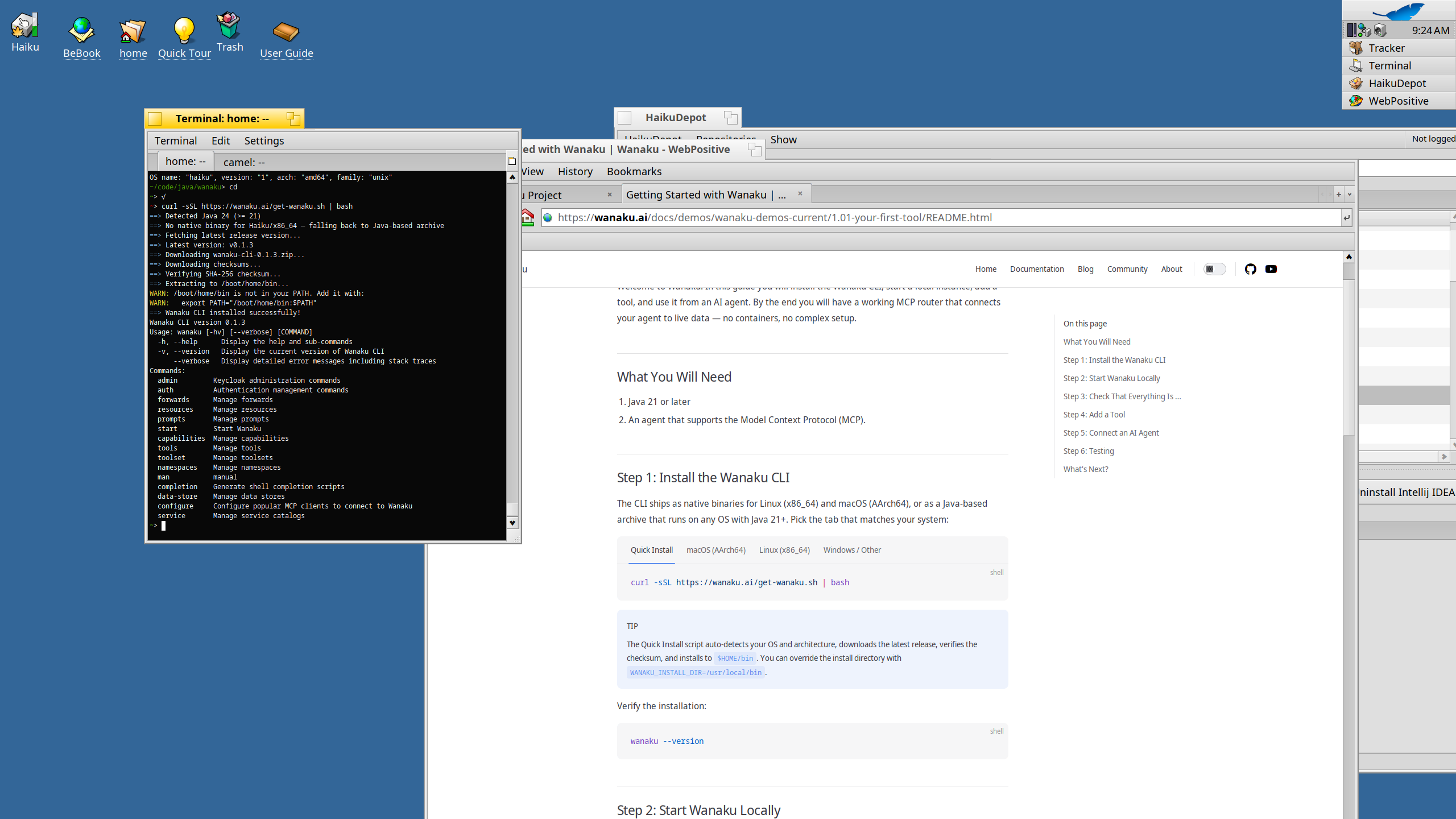
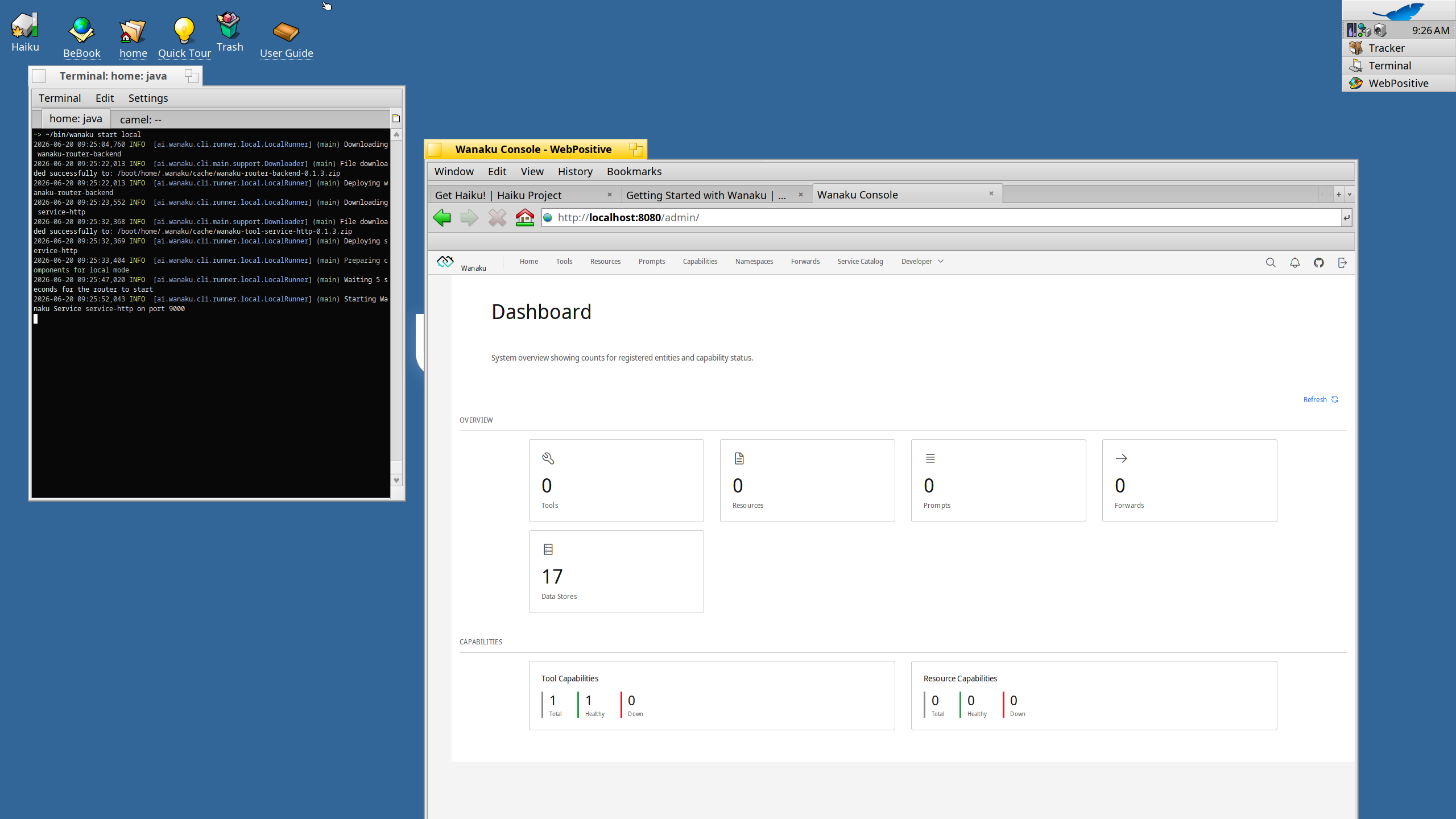
From there, I was able to start Wanaku and open its management console in WebPositive, Haiku's browser.
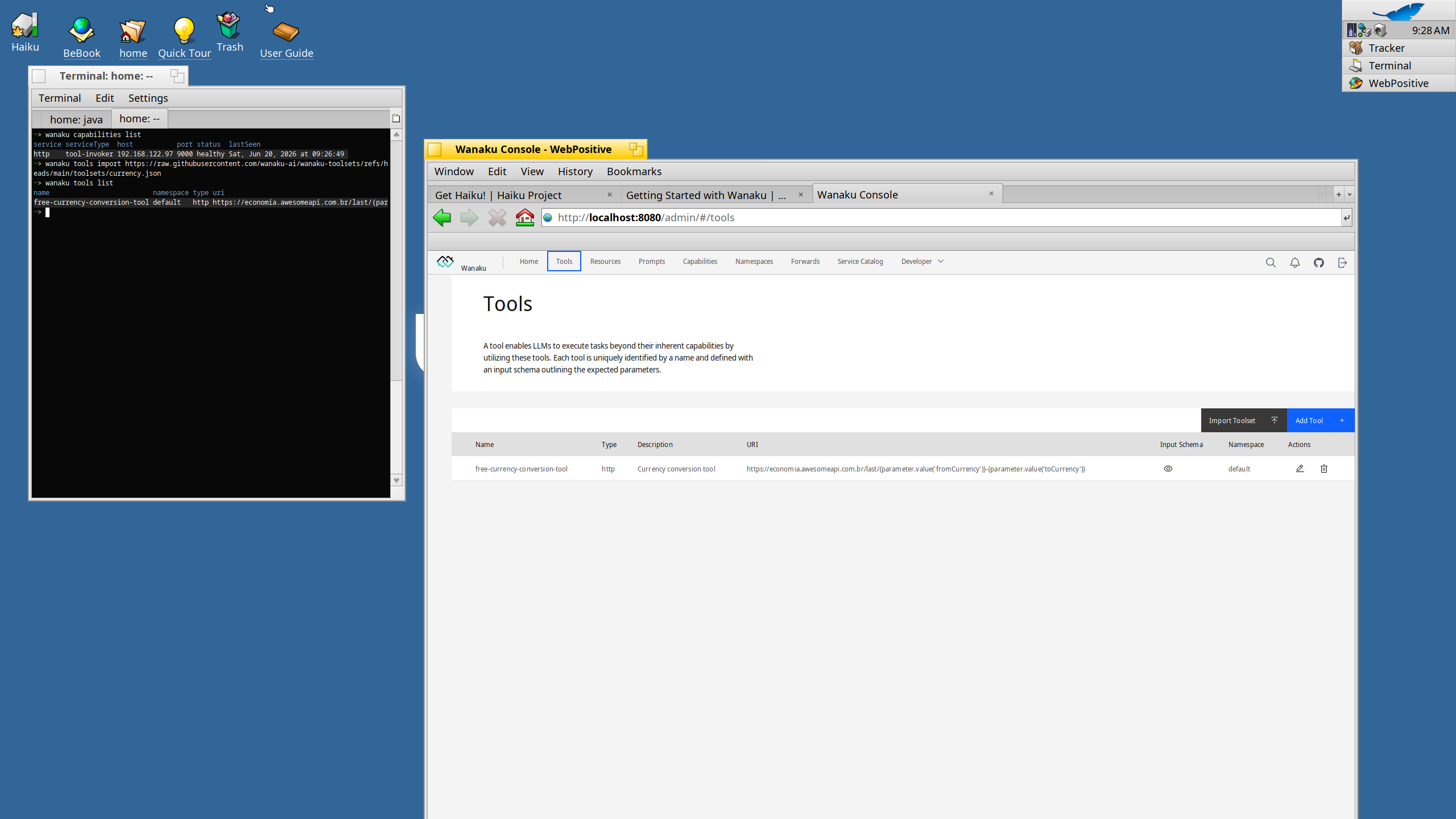
I also imported a toolset and confirmed that the tool appeared in both the command-line interface and the management console.
I did not complete the last step of the getting-started guide: connecting an AI agent and invoking the tool over MCP. I could not find an agent that worked in the time available. OpenCode and Pi failed on JavaScript dependencies, while the Python-based NanoCode I tried did not support MCP.
Final thoughts
Java development on Haiku is in a noticeably better place in 2026. Current-enough JDK and IntelliJ packages make it easy to get a useful environment running, and pure Java distributions can work even when their source builds do not recognize Haiku.
There are still rough edges around build tooling and software with native or platform-specific dependencies. Even so, moving from Java 11 to Java 24 and from an old IDE package to IntelliJ IDEA 2025.x is substantial progress. Haiku remains an interesting and surprisingly capable system for Java experimentation.